📋
Clipboard History
Auto-captures everything you copy — text and images — so you never lose a snippet again.
🔍
Instant Search
Real-time fuzzy search across your entire history. Find anything in milliseconds.
👁
Vision OCR
Extract text from images using Apple's on-device Vision framework. Fully offline and private.
🖼️
Image Support
Copy and paste images seamlessly with inline preview before pasting.
🏷️
Custom Tags
Categorize clipboard items with color-coded tags. Quick tag with ⌘T and filter using # tag suggestions in search.
⭐
Bookmarks
Star important clipboard items with ⌘B for quick reuse and protection from automatic history eviction.
✅
Multi Select & Paste
Select multiple items from your clipboard history and paste them all at once. Perfect for assembling snippets fast.
🔄
Auto Updates
Built-in secure updates with code signature verification and a native post-update release notes HUD.
📝
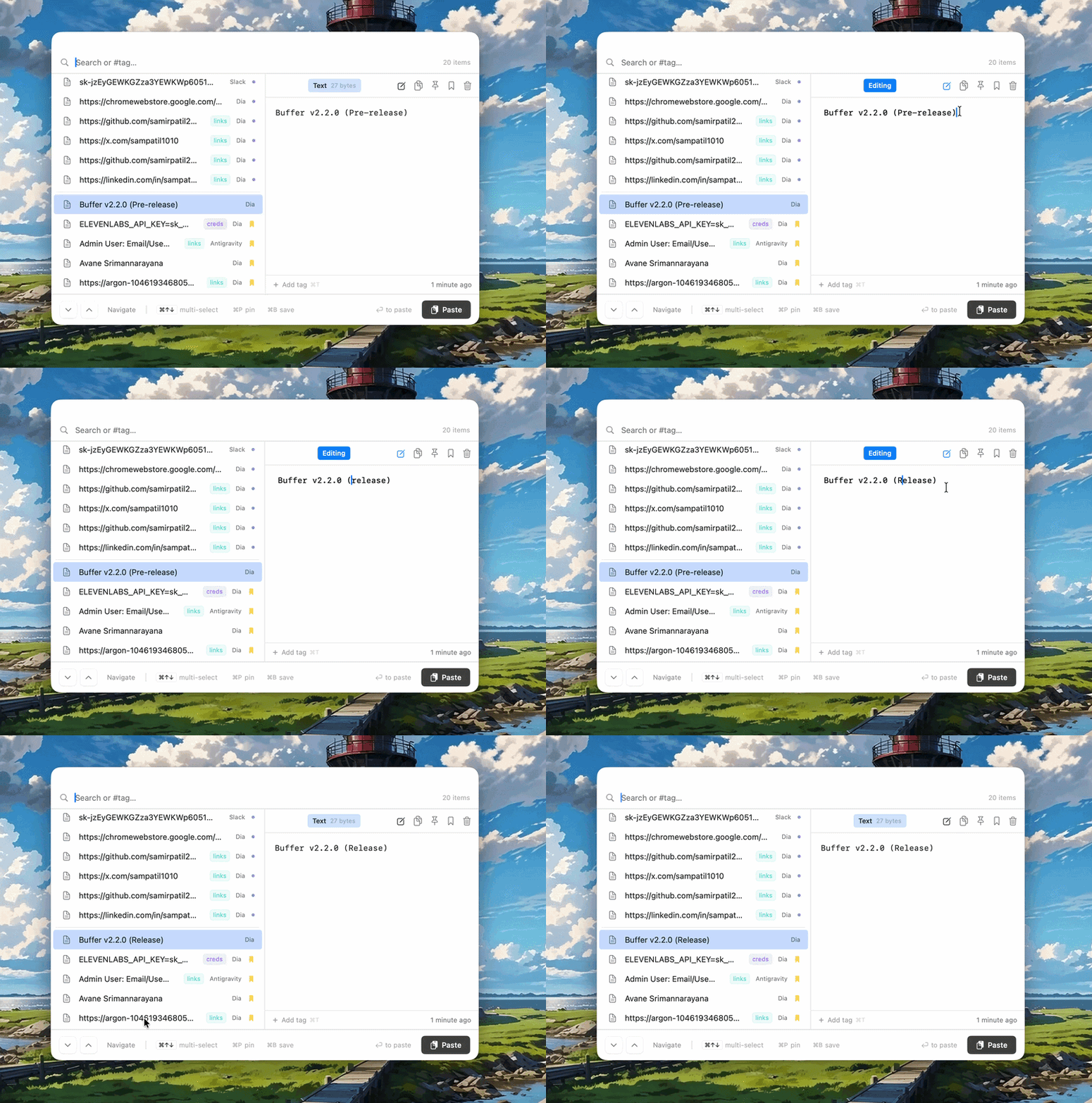
Inline Text Editing
Edit any text or code snippet directly within the clipboard history preview pane with auto-save and pasteboard sync.
⚙️
Configurable Hotkeys
Change the global shortcut in Settings. Dynamic re-registration means your custom keys work instantly.
🔒
Privacy First
All data stored locally. Nothing ever leaves your Mac. No accounts, no cloud.
📌
Menu Bar App
Lives quietly in your menu bar. No Dock clutter, always a hotkey away.